
Performance and measurements
What each session records, how to read performance in a game's Details, comparing runs, the suggestions after a session, and the measurements the project publishes.
What each session records #
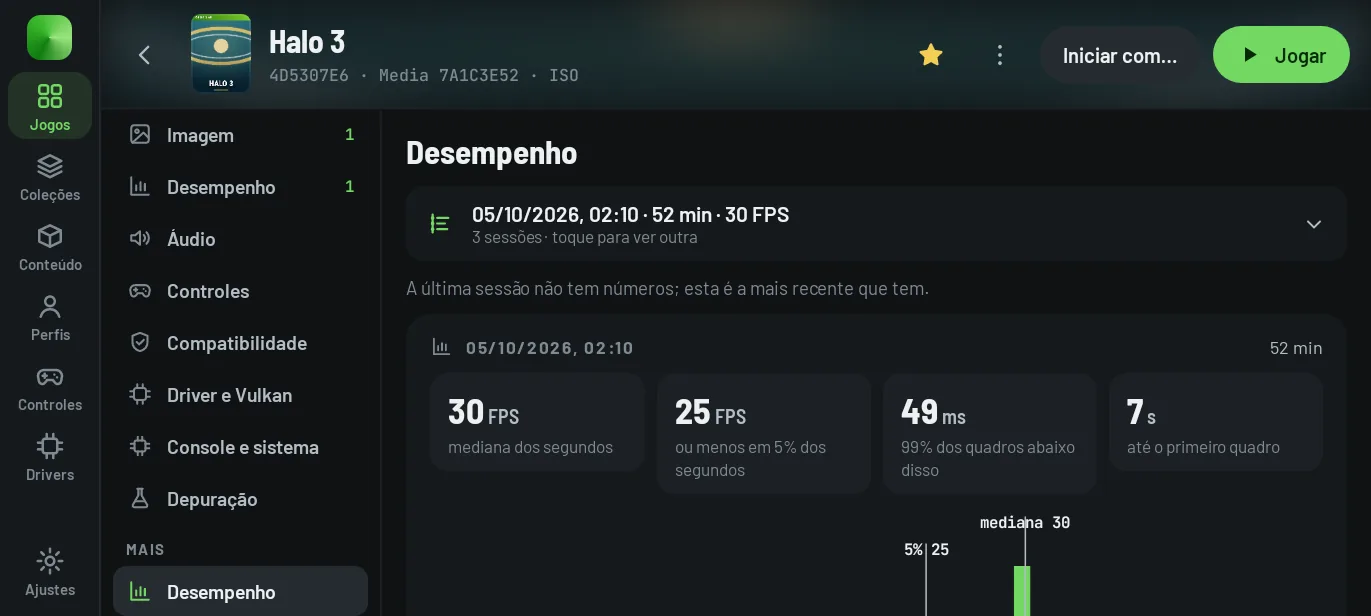
Every time a game runs, the app keeps the numbers of that session: FPS for each second, frame time, time to the first frame, pipelines created, late audio, battery temperature, the driver used and the settings in effect.
In the game's Details → Performance, the session shown appears at the top (date, duration and FPS); a tap lists all of the game's sessions, with how each one ended, median and low FPS, the frame time p99 and the driver. The charts show how many seconds the game spent at each FPS and how many frames took each frame time, with the run's timeline (stutters, heat warnings, pauses, controllers).
The HUD shows the same numbers live, while you play.
Compare runs #
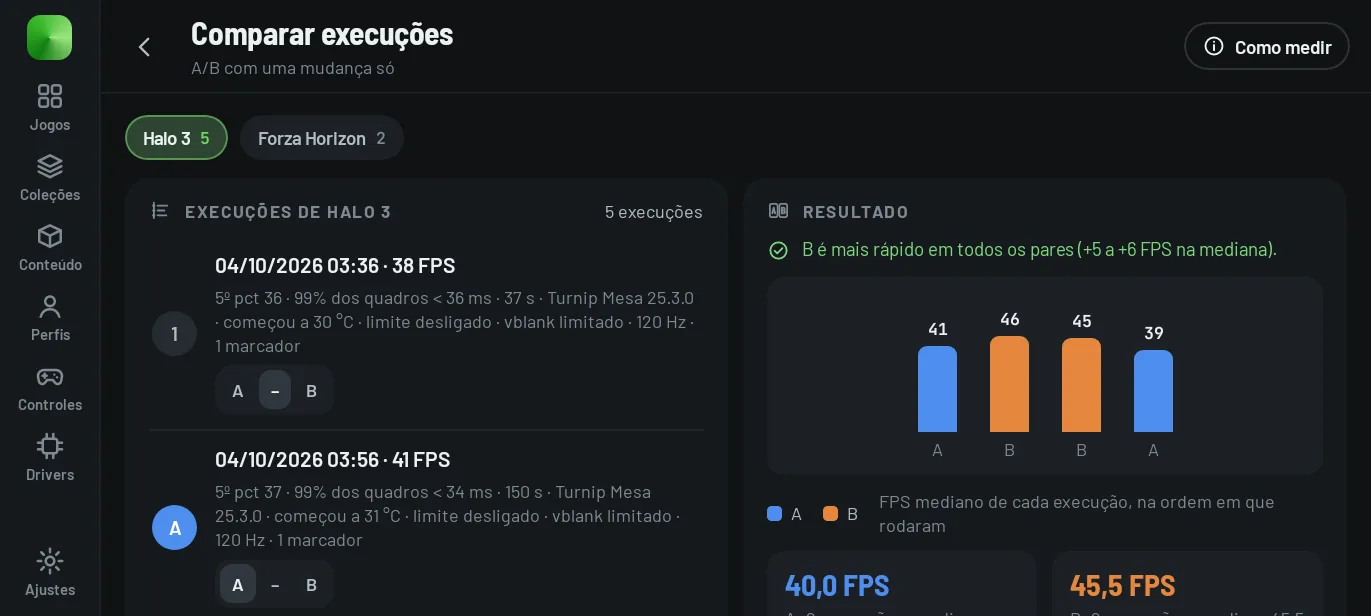
Settings → App → Diagnostics and tests → Compare runs compares runs of the same game marked A and B, to measure a single change (driver, FPS limit, frame generation, vblank cap or display refresh). It only gives a result when the comparison is fair:
- an order that cancels out the device warming up: at least A B B A (four runs);
- each run with at least 30 measured seconds;
- a similar starting battery temperature across runs (at most 3 °C apart);
- at most one difference between A and B, and a single configuration on each side.
The verdict (“B is faster in every pair”) only appears when all pairs agree. Frames made by frame generation don't count toward FPS. To line up the same part of the game, use in-game menu → Session → Mark a scene.
Suggestions after a session #
When you return to the app after a session with something to improve, the “How did … go” sheet sums up the session and offers up to three suggestions, each with the reason in numbers and Apply to this game (with Undo):
| Suggestion | When it appears |
|---|---|
| Try the phone's own driver | the game closed with a native crash while using a custom driver |
| Back to the global settings | the game never showed a frame and has settings of its own |
| Create pipelines on more threads | 500 or more pipelines created, with frames of 50 ms or more and fewer than 5 threads |
| Resolution scale 1x | median FPS below 80 % of the limit with the scale above 1x |
| A steady 30 FPS | limit of 60, median between 34 and 52, and the slowest 5 % below 40 |
| A deeper audio buffer | more than 1 % of the audio blocks filled in because they were late |
| A lower FPS limit | battery at 45 °C or more, or the phone at its heat limit, with a limit above 30 |
Suggestions only appear for sessions that failed or lasted more than a minute; performance suggestions appear at most once a day per game. You can mute one suggestion, one game or all of them, and Settings → App → Interface → Suggestions after a session chooses between Always, After errors and Never.
Published measurements #
Measured on a POCO F7 (Snapdragon 8s Gen 4, Adreno 825) with Turnip, in development builds (October 2026). Your device, driver and game version will change these numbers.
| Game | Tested in | Frame rate | Notes |
|---|---|---|---|
| Forza Horizon | Racing | 30 fps (game cap) | ~18 ms of GPU time per frame |
| Forza Horizon 2 | Racing | 27–30 fps | Forza Horizon's settings applied |
| Gears of War 3 | Campaign, Versus | 30 fps (game cap) | GPU 40 → 28 ms per frame in its heaviest scene |
| Halo 4 | Campaign | ~26–30 fps | Video cutscenes fixed; a small shadow flicker remains |
| Need for Speed: Most Wanted | Racing | ~19 fps | Boot and gameplay crashes fixed |
| Sonic Unleashed | Gameplay | 50–52 fps | — |
| Halo: Reach | Menus, intro | 30 fps | Dips to 19 fps |
| Crysis 3 | Menus, intro | 32–46 fps | JIT crash fixed |
| Grand Theft Auto IV | Menus, intro | ~22 fps | Limited by the GPU command thread |
| Red Dead Redemption | Menus, intro | ~25 fps | Limited by the GPU command thread |
These measurements are the project author's, on a single device. The methods, the results of each change and the optimization plans are in performance-tests/. To measure on your device, use the sessions and Compare runs described above.