
Xendroid+
Xbox 360 emulation on Android, tuned for Snapdragon and Adreno GPUs. It continues XenDroid on the Xenia core, with an interface for touch and controllers, per-game settings applied at launch and a diagnosis of every session on the device itself.
Experimental. How each game runs depends on the game, the device and the GPU driver: some titles run well, others still have glitches or do not boot.
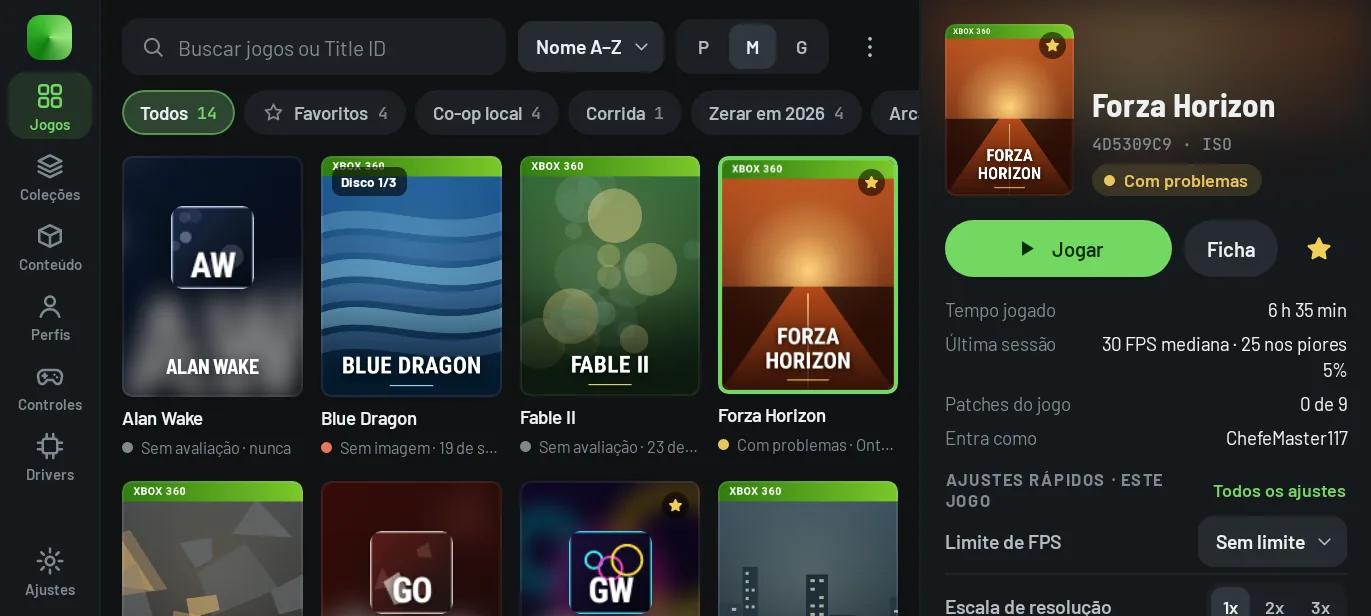
The Xendroid+ screens
Images generated from the interface code by the project’s screen tests, which run with the app in Portuguese. The games, covers and numbers in them are sample data.
Your games in a library that understands the Xbox 360
- Finds ISO, ZAR, GOD, folders with default.xex and XBLA packages in your folders, with search by name or Title ID, favorites, collections and a format filter.
- Each game’s details page brings together Play, Start with… (profile, driver, executable, without patches or without the game’s settings, for that launch only), sessions, patches and saves.
- With a controller connected, the interface switches to controller mode by itself: a cover carousel, tabs on LB and RB and button hints always in view.
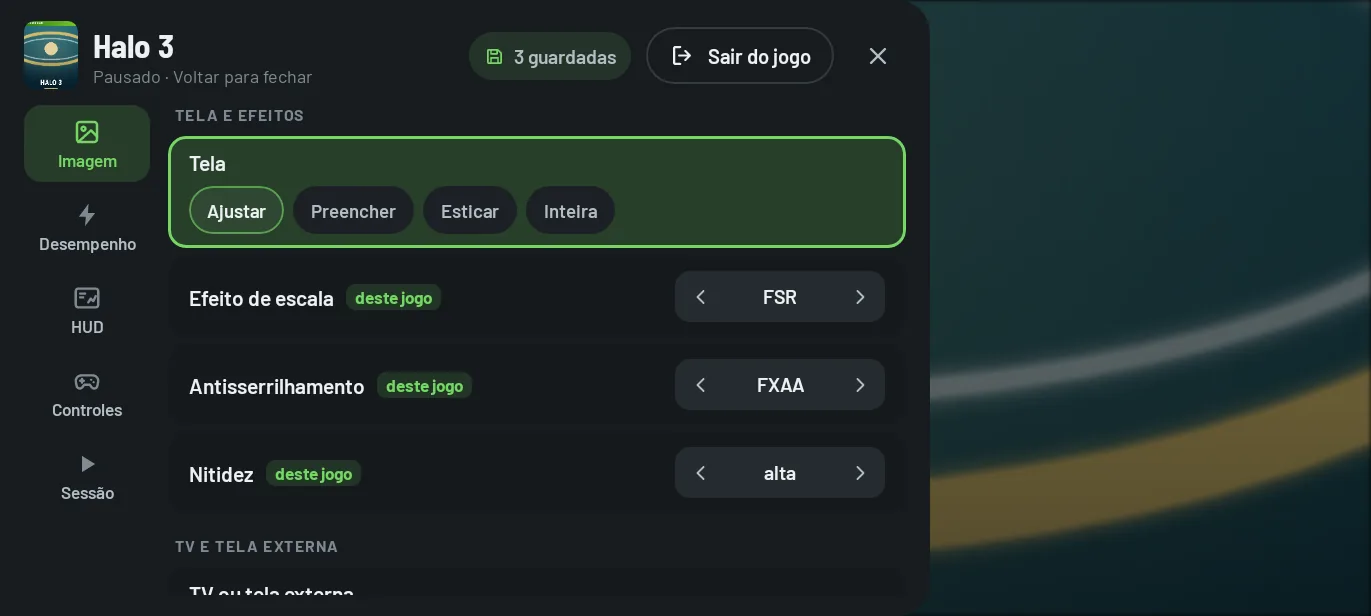
Settings in the middle of a game, saved for that game
- The menu slides in from the left edge, with Back or the controller’s Guide button, and pauses the game by default.
- Five categories: Image, Performance, HUD, Controls and Session. Scaling, antialiasing, sharpness and dither change right away.
- What you change is saved for that game, with Undo this session’s changes and Use these changes in every game. The HUD shows FPS, frame time, CPU, GPU, memory, temperatures and battery.
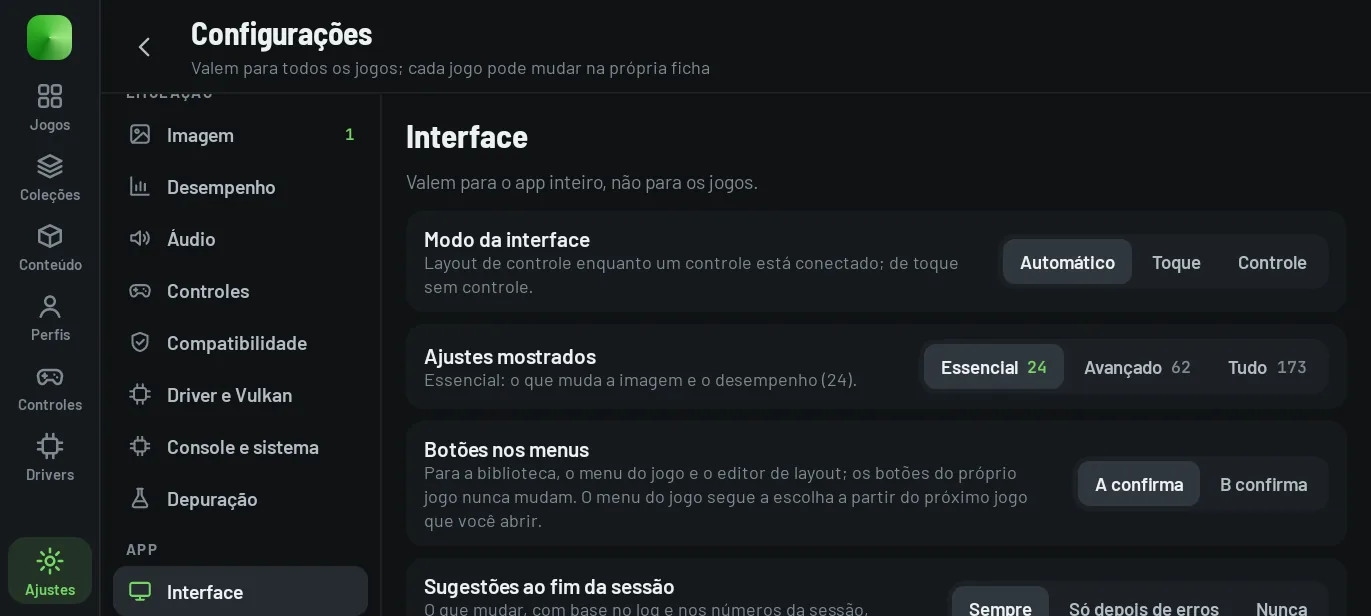
173 settings, each one saying when it applies
- Three levels of detail: Essential (24), Advanced (62) and All (173). Each row says whether the value is the default, whether it changed and whether it applies right away or at the next launch.
- The same settings apply to every game in Settings, or to one game from its details page, saved in config/<Title ID>.config.toml, the file the core reads.
- The Performance, Balanced and Quality presets apply several settings at once, with Undo.
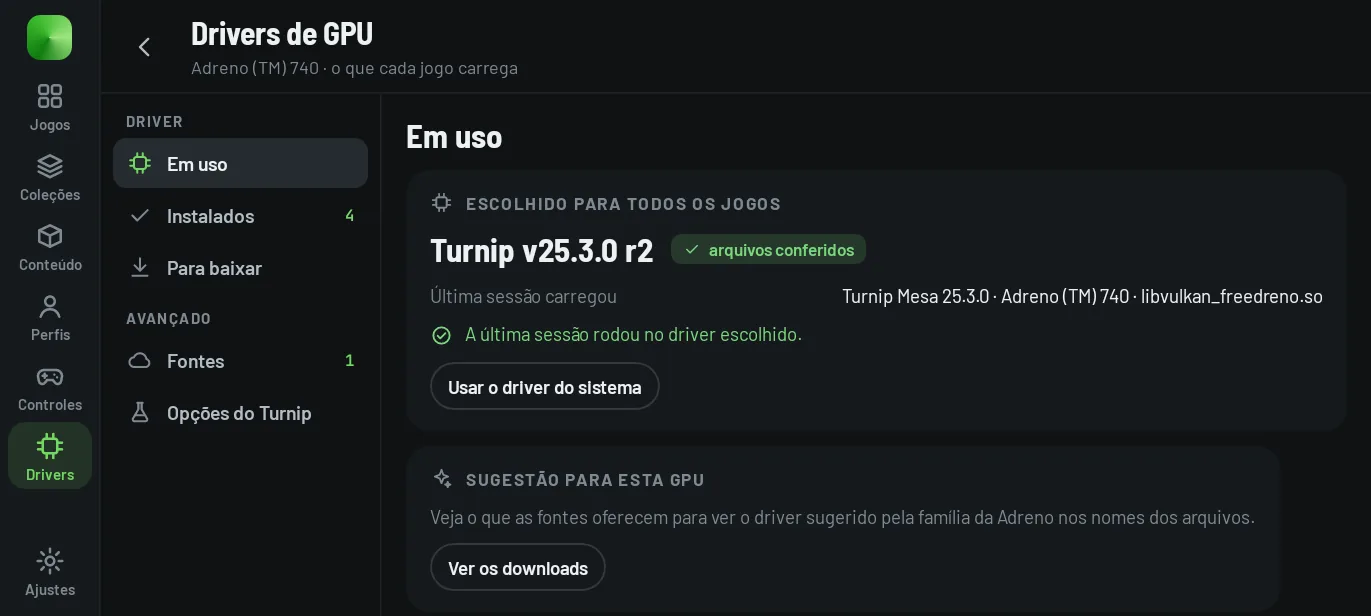
Turnip drivers per game, checked before they are installed
- Download packages from sources on GitHub (the default is K11MCH1/AdrenoToolsDrivers) or import a ZIP; the app checks the arm64 Vulkan library and the SHA-256 when the release publishes one.
- Pick a driver for every game, one per game or one just for the next launch; the system driver is always one tap away.
- The 11 Turnip flags (TU_DEBUG) are listed one by one, with sysmem as the default. Custom drivers only load on Adreno GPUs.
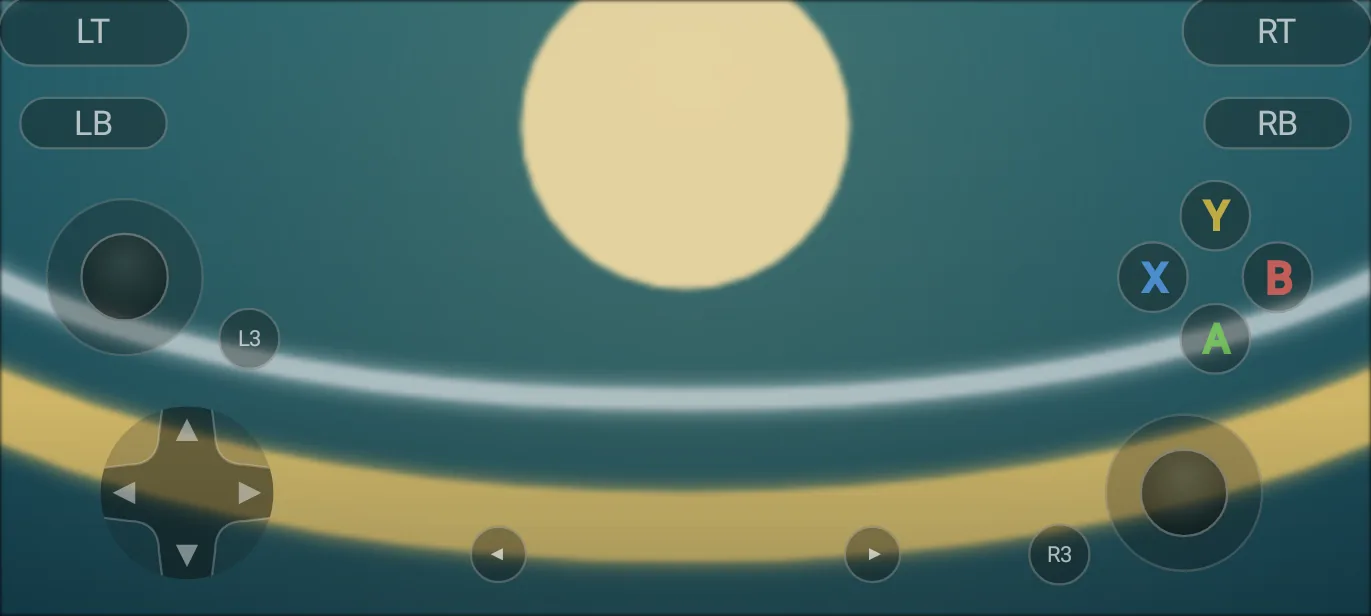
Touch, a physical controller and even another phone
- Touch controls in the Modern or Classic look, with a layout editor, layouts saved per game and per orientation, touch camera and gyroscope.
- Physical controllers play as P1 to P4, with mapping for the 16 buttons, rumble per controller and a screen to test every button.
- Phone as controller (experimental): another phone on the same local network joins as P2 to P4 with a 6-digit code.
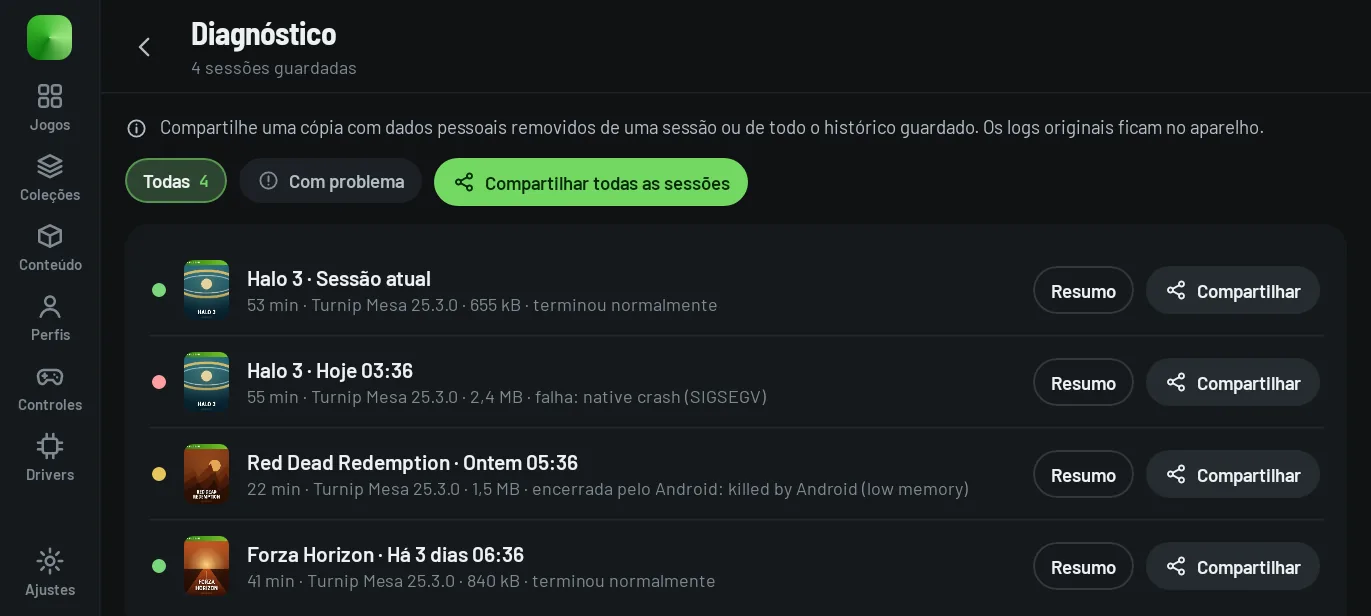
Every session leaves a trail you can share
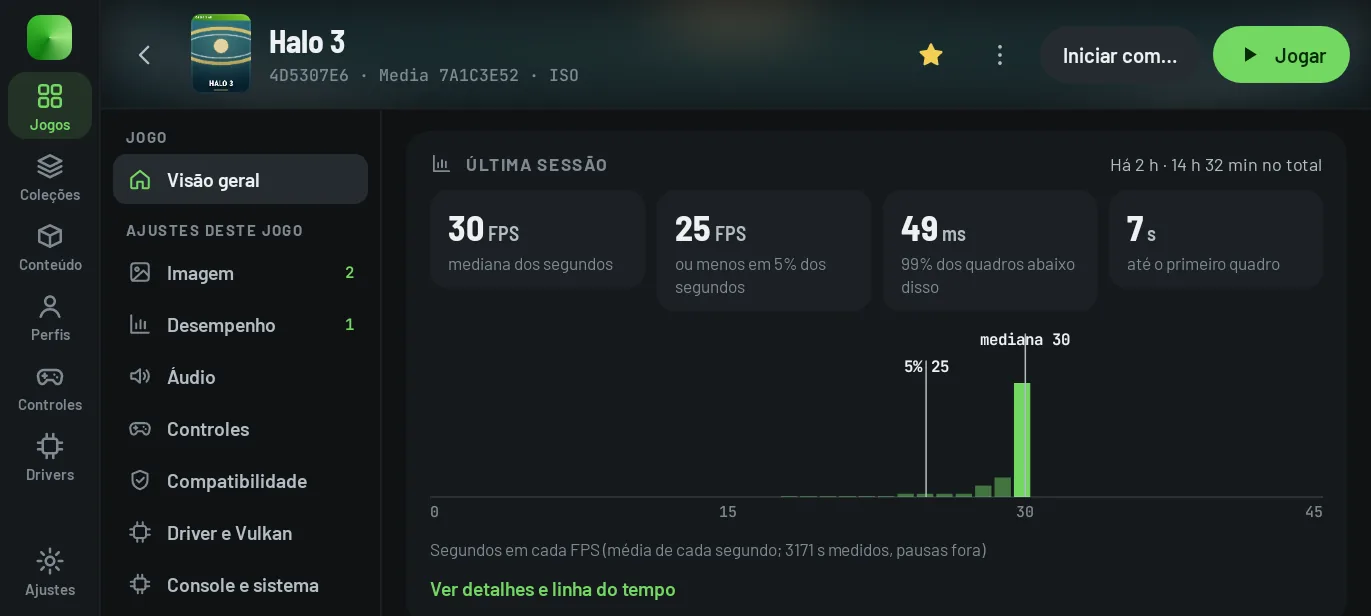
- The app keeps the latest sessions (4 by default), with the emulator log, the app’s logcat and how each one ended.
- Sharing produces a cleaned copy: paths, gamertags, XUIDs, IP addresses, e-mail addresses, passwords and tokens are removed first.
- At the end of a session with problems, the app suggests up to three changes with the reason in numbers, and Compare runs measures one change at a time (A B B A).
Made for the device, checked against the code
Every number below is counted in the code of build 63 when this site is generated.
-
11games with fixes
See the list
Per-game fixes applied at launch
The core carries 80 settings for 11 specific games, such as Forza Horizon, Gears of War 3, and Ninja Gaiden II. They kick in when the title starts, with the priority of a game’s own setting, without you configuring anything.
-
173settings
Full reference
Every setting comes from the app’s schema
Image, performance, audio, controls, compatibility, driver, system and debugging, global or per game. The per-game file is written in the format the core reads, and this site’s simulator generates the same file.
-
305games with patches
How they work
Game patches inside the APK
The 479 Xenia Canary patch files ship with the app. The details page separates the patches made for your version of the game from the ones for other versions.
-
11Turnip flags
GPU drivers
Adreno driver manager
Turnip packages downloaded from GitHub or imported, checked before installing, chosen for every game, per game or for a single launch.
-
A/Bcompare runs
Performance
Measure before you change
Every session records FPS per second, frame time, pipelines created, audio glitches and temperature. Compare runs only gives a verdict when the runs follow the A B B A order and differ in a single thing.
Measurements published by the project
Measured on a POCO F7 (Snapdragon 8s Gen 4, Adreno 825) with Turnip, in development builds (October 2026). Your device, driver and game version will change these numbers.
| Game | Tested in | Frame rate | Notes |
|---|---|---|---|
| Forza Horizon | Racing | 30 fps (game cap) | ~18 ms of GPU time per frame |
| Forza Horizon 2 | Racing | 27–30 fps | Forza Horizon's settings applied |
| Gears of War 3 | Campaign, Versus | 30 fps (game cap) | GPU 40 → 28 ms per frame in its heaviest scene |
| Halo 4 | Campaign | ~26–30 fps | Video cutscenes fixed; a small shadow flicker remains |
| Need for Speed: Most Wanted | Racing | ~19 fps | Boot and gameplay crashes fixed |
| Sonic Unleashed | Gameplay | 50–52 fps | — |
| Halo: Reach | Menus, intro | 30 fps | Dips to 19 fps |
| Crysis 3 | Menus, intro | 32–46 fps | JIT crash fixed |
| Grand Theft Auto IV | Menus, intro | ~22 fps | Limited by the GPU command thread |
| Red Dead Redemption | Menus, intro | ~25 fps | Limited by the GPU command thread |
Source: README.md and performance-tests/. They are not a guarantee: your device, the driver and the game version change these numbers.
Requirements and limitations
What the device needs
- Android
- 10 or newer. Choosing the games folder requires Android 11.
- Processor
- 64-bit ARM (arm64-v8a). The APK does not install on other architectures.
- GPU
- Vulkan, required. The focus is Adreno 7xx and 8xx with the Turnip driver; a Snapdragon 8 Gen 2 or newer is recommended.
- Games
- Your own, dumped from your discs or consoles: ISO, ZAR, GOD, folders with default.xex and XBLA packages.
- Files
- All files access, so the library can read the game folders.
What still limits it
- Compatibility varies. There is no public Xendroid+ compatibility list: each game is rated on your own device.
- Custom drivers only on Adreno. On other GPUs games run on the system’s Vulkan driver.
- Frame generation is experimental. Win-FG 2× and LSFG start off at every launch; LSFG needs your own Lossless.dll.
- On Android 10 the app installs, but only opens games launched from a frontend: choosing folders requires Android 11.
- Community settings and the compatibility catalog exist in the code, but are off in the published versions: there is no server.
Not in the appRecorded proposals, not implemented yet
- A key map for each controller (today one map applies to all of them).
- Finding the game on the network and scanning a QR code on the phone used as a controller.
- Looking for the disc file when disc swapping finds none.
Recorded in docs/ui-redesign/app.md (in Portuguese), with no planned date.
Documentation and simulator
Documentation
From installation to collecting logs, written from the code of build 63, with search and links to every section.
Interface simulator
Browse the app’s screens in the browser, in touch or controller mode, with a keyboard or a real controller. The settings are the 173 of build 63, and a game’s config file comes out in the format the core reads.
The simulator’s games, covers, profiles and sessions are examples; nothing runs a game.
Open source, built on the device
Xendroid+ is created and maintained by phforner0. It continues XenDroid, the original Android port by rfandango, and uses the core of Xenia and Xenia Canary.
Performance work is measured frame by frame on real devices, with methods and results in performance-tests/, and every published version comes with notes on what changed. Third-party components keep their own licenses, listed in THIRD-PARTY-NOTICES.md.